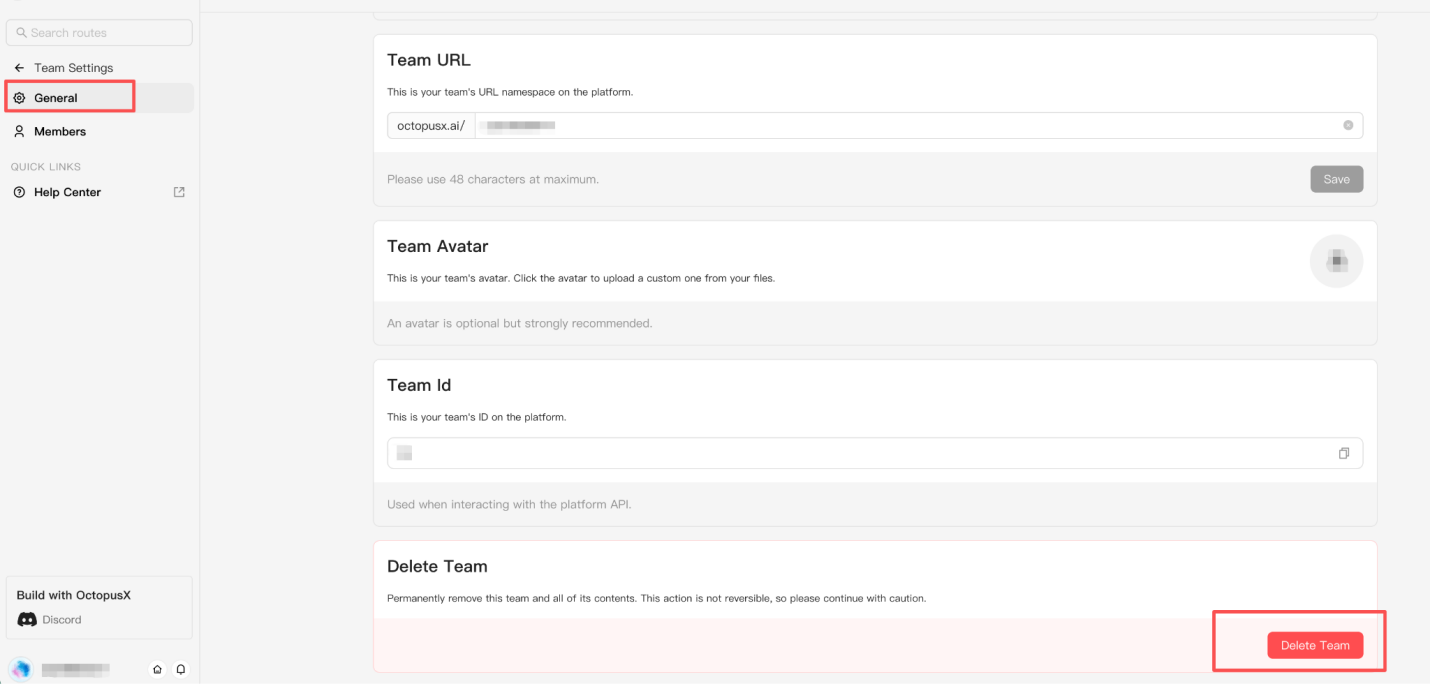
Team Account
An OctopusX team account provides a shared workspace for managing team members, AI API resources, usage, and credits. Your team can collaborate while accessing 400+ AI models through one platform.
Your Default Team
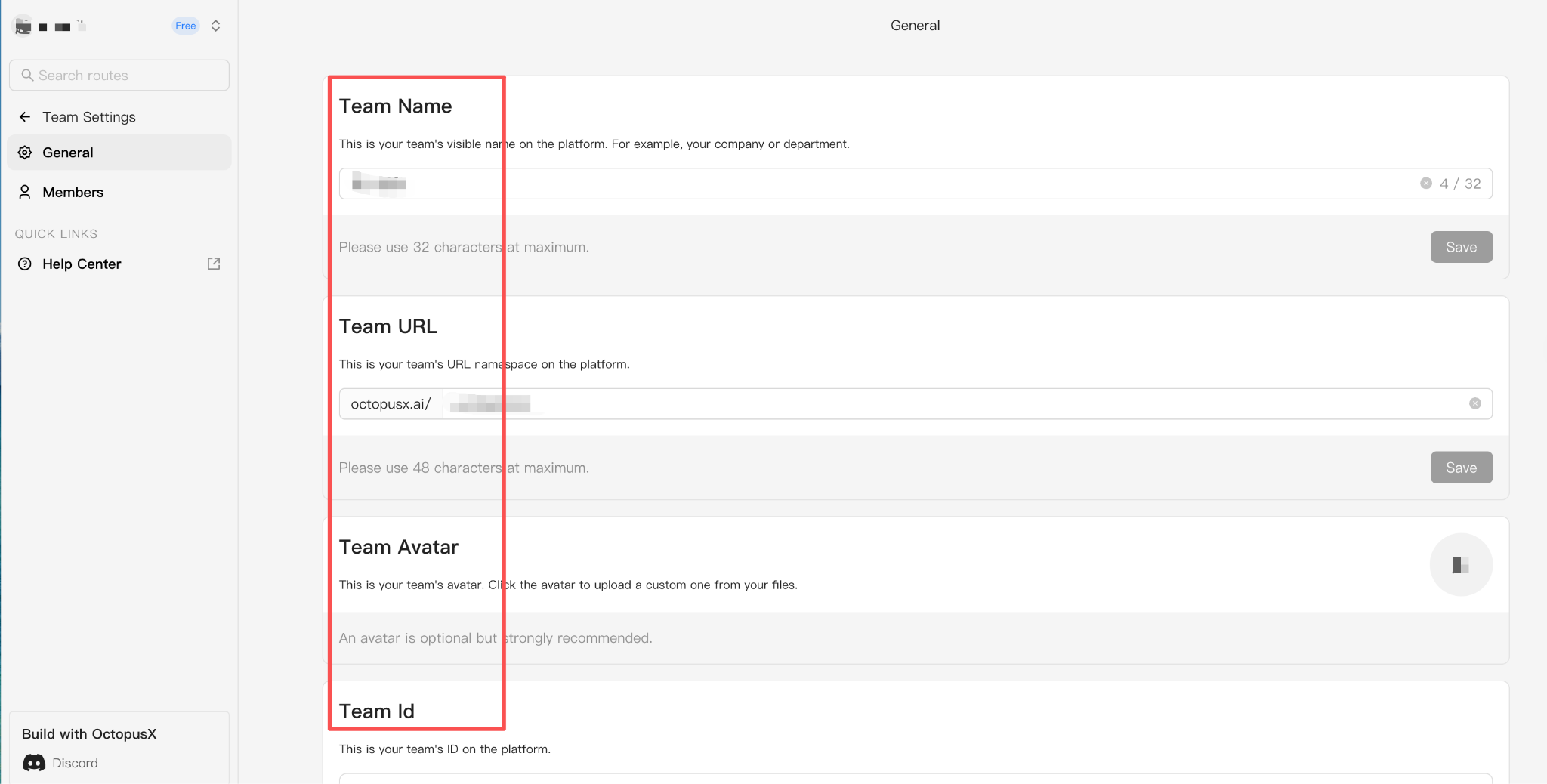
The moment you register, your own team workspace is instantly created and ready to use. All your initial credits and API usage are managed here.
- Customize your team name (up to 32 characters).
- Start creating API keys and organizing your AI projects.
Manage Team Members
Invite users, join teams, switch workspaces, and manage your OctopusX team membership.
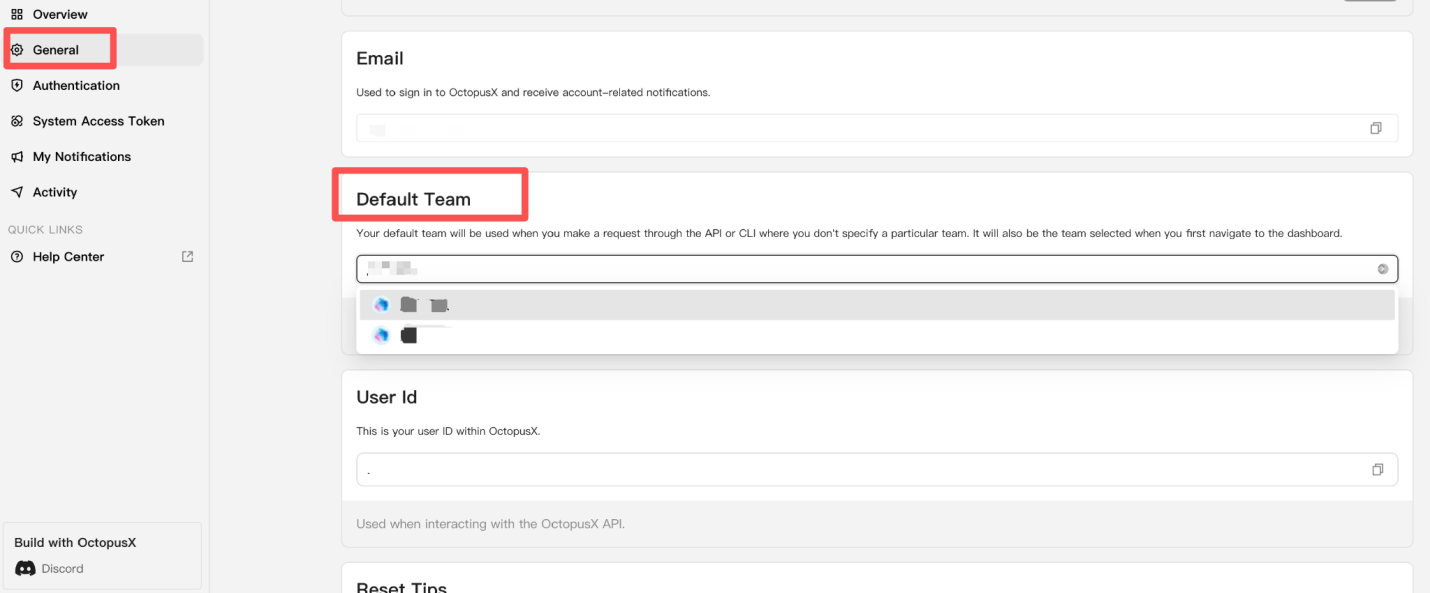
Switch Between Teams
Open Account Settings > General > Default Team and select the team account you want to use.
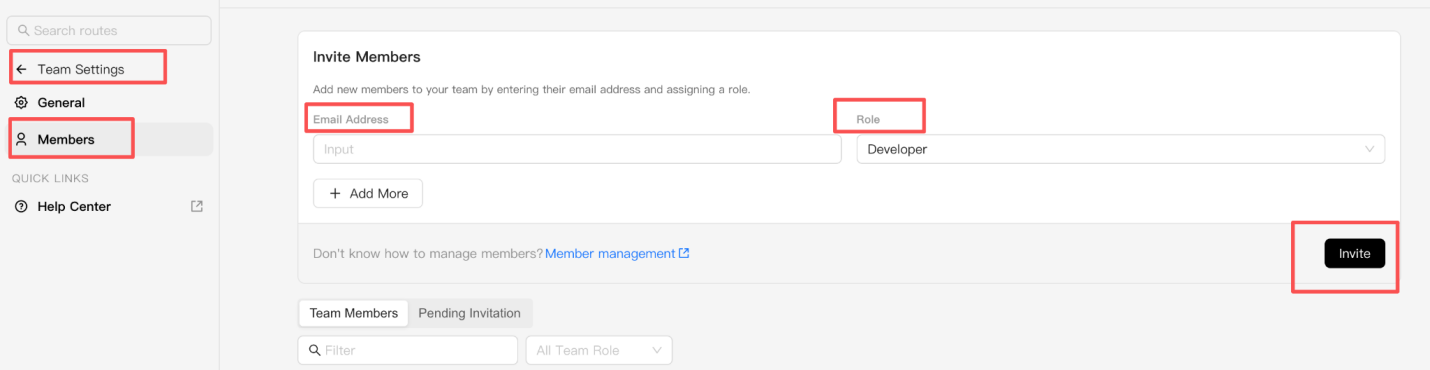
Invite Team Members
- Enter the email address of the person you want to invite.
- Click Invite.
- The team invitation will be sent to the email address you entered.
Join a Team
- Sign in to your OctopusX account.
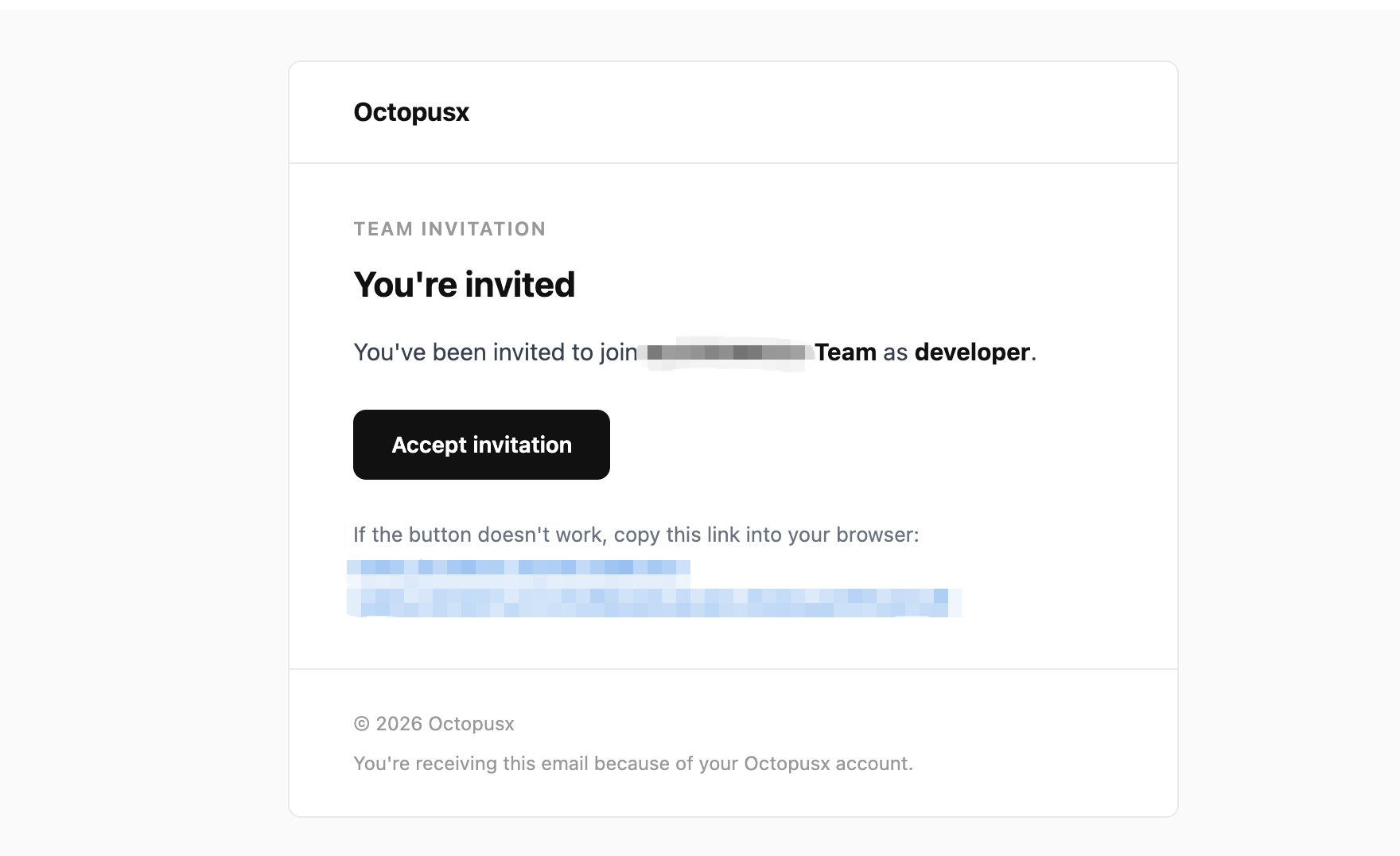
- Open the team invitation sent to your email.
- Accept the invitation to join the team.
Leave a Team
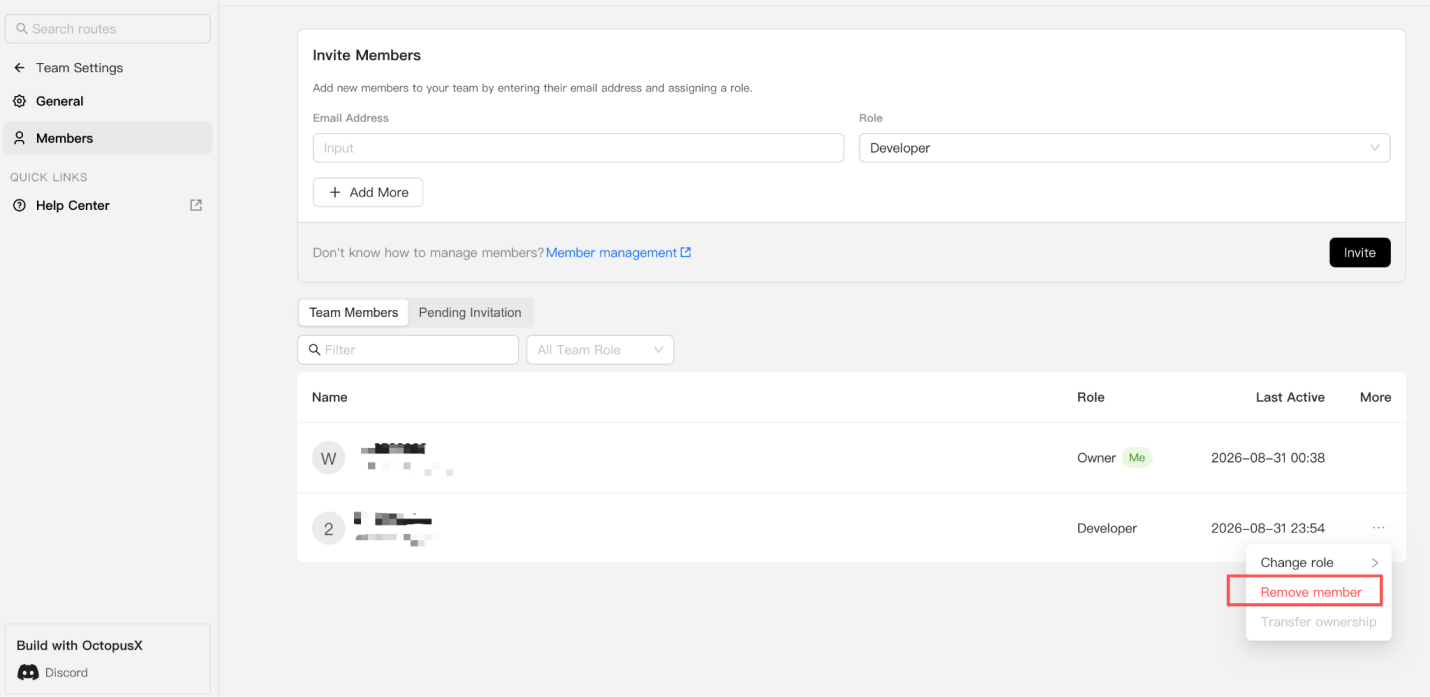
Team members can leave by deleting the team from their workspace, or the team founder can remove members directly. The team creator must delete the team instead of leaving it.
Delete a Team Account
Only the team creator can permanently delete a team account.
Before deleting the team:
- Stop or remove running and billable resources.
- Confirm that all team members will be removed.
- Confirm that the remaining team balance will be returned to the creator’s personal account.
WARNING
Deleting a team account is permanent and cannot be undone.